
Idle Timeout for Warehouse Tasks
In the Configuration module, define a number of minutes that a warehouse task can remain idle before R2 automatically closes the task.
User Notification of Auto-Close of Warehouse Tasks
When the Warehouse window Auto closes due to the ‘Idle Timeout’ setup, the system shows an alert dialog to the user that the Warehouse screen was closed because of the Idle timeout. These notifications are displayed in the bottom right corner of the Warehouse Window. While the Notification dialog box is still open, if any other Auto-close occurs, the system will append the new notification below the previous one. Similar to as shown below.
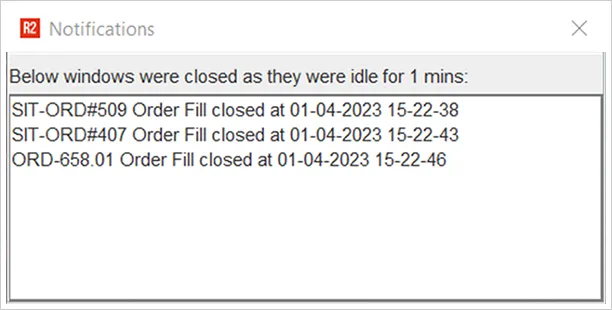
However, if the user has closed the Notification window, and a new Auto-close occurs, the system displays this alert in a fresh window with only that specific alert listed.